If you’ve ever stood in a busy grocery store checkout line, watched a cashier ring up a cart full of sale items, a birthday discount, and a loyalty reward all in a matter of seconds, you’ve probably wondered how the process works seamlessly. As a Windows POS system provider, I field this question all the time—from small café owners upgrading from a clunky cash register, to retail managers rolling out seasonal promotions for a chain of 12 locations. The short answer? It’s not just a matter of hitting a “discount” button. A modern Windows-based point of sale (POS) system ties together inventory data, customer history, price rules, and transaction logic in a way that balances flexibility for small businesses with the reliability retailers need to avoid errors. Let’s break down how that works, from the setup behind the scenes to how it applies in a real, busy store. Windows POS System
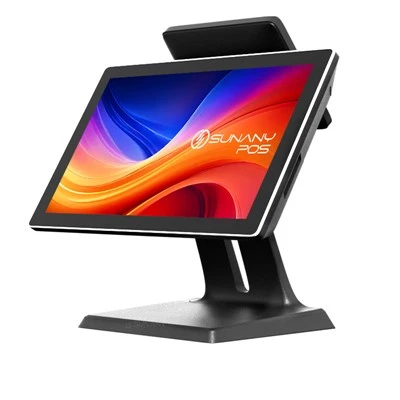
First, let’s get clear on the core difference between discounts and promotions—two terms that often get lumped together, but are managed very differently in a Windows POS. Discounts are individual or transaction-specific adjustments: a 10% off coupon a customer brought, a $5-off reward for spending over $50, or a manager-approved markdown for a damaged item. Promotions, on the other hand, are pre-set, time-bound offers applied to groups of items, categories, or entire purchase totals: “buy one get one free (BOGO) on hoodies this week,” “20% off all snack items for back-to-school,” or “spend $100, get $20 off your next order.” The Windows POS system’s role here is to structure both without overcomplicating the workflow for cashiers, while making sure all adjustments sync with inventory and accounting records.
The foundation starts in the POS backend, a part of the system most customers never see, but that we build specifically for Windows environments. Unlike legacy POS systems that run on outdated operating systems with limited connectivity, Windows POS systems leverage Microsoft’s tools to create a centralized, cloud-integrated backend. When a retailer sets up a new discount or promotion, they don’t have to program code—they use a user-friendly dashboard to define rules. For example, if a clothing store wants to run a BOGO promotion on jeans, they can go to the “Promotions” tab, select “BOGO Equal or Lesser Value,” set the start and end dates, and tag the jeans category. The system pulls real-time inventory data to make sure the offer only applies to stock that’s currently in the store, not items that have already been sold. That’s a big fix for old-school cash registers, where a promotion might keep running even after an item is out of stock, leading to lost revenue or angry customers.
Next, how the system applies discounts during a transaction is where most of the day-to-day action happens. Let’s walk through a real scenario: a customer stops at a local bakery, picking up two loaves of sourdough, a box of cookies, and a reusable tote bag. They hand the cashier a coupon for $1 off any bread item, and they’re a loyalty member who gets 5% off all purchases. Here’s how the Windows POS handles that step by step: when the cashier scans the first loaf of sourdough, the system recognizes it as eligible for the $1 coupon, flags the discount, and calculates that the second loaf is also eligible for another $1 coupon. Then, it pulls the customer’s loyalty profile (tied to their phone number, scanned at checkout) and applies the 5% discount to the total of all items, including the cookies and tote. The system automatically checks for stacking rules, too—something that trips up a lot of older POS systems. For example, if the bakery has a rule that coupons and loyalty discounts can’t be stacked on sale items, the Windows POS will override the coupon on the already discounted cookie box, and only apply the loyalty discount there. No need for the cashier to remember the rules; the system enforces them in real time.
One of the biggest advantages of a Windows POS system over other platforms is its flexibility for custom discount rules, which is critical for small businesses that don’t fit into a one-size-fits-all model. A coffee shop, for example, might want to offer a “drink on the house” for customers who buy 10 drinks (a loyalty punch, essentially, but automated instead of a paper card). In the Windows backend, the shop owner can set up a point-based loyalty rule: “after 10 drinks, the 11th is free, no limit on time between purchases.” The system automatically tracks each purchase tied to the customer’s loyalty account, so when the 11th drink is rung up, it applies the discount without the cashier having to look up a punch card. For a boutique, the ability to set quantity-based discounts (“buy 3 shirts, get 20% off all shirts in your cart”) is another feature that’s easy to configure in the POS. Unlike mobile-only POS systems that often limit discounts to simple percentage or dollar amounts, Windows POS can handle these nuanced rules because it runs on Windows’ robust processing power, even when handling 100+ transactions an hour during a weekend rush.
Now, promotions that run across entire locations or chains add another layer of complexity, and that’s where cloud sync on Windows POS shines. If a retail chain with 10 stores is running a “grand opening” promotion that gives 15% off all purchases for the first three days, the manager at the headquarters can update the promotion in the central backend, and every store’s POS updates within a minute—no need to send printed signs or manually update each register. The system also tracks promotion performance automatically, which is something we build into all our Windows POS solutions. A café owner can pull a report mid-week to see how the BOGO pastry promotion is performing, compare it to last year’s similar promotion, and adjust if needed. For example, if the data shows that the 2-for-$5 croissant promotion drove 30% more foot traffic than expected, they can extend it for an extra day directly from the dashboard, and all store locations update immediately.
But there are common pain points that our Windows POS is specifically designed to avoid, and discount management is one of the biggest. One mistake we see all too often with legacy systems is “discount drift”—where a cashier accidentally applies the wrong percentage, or forgets to remove a promotion after it ends, leading to lost revenue. With Windows POS, all discounts and promotions are time-stamped and logged for every transaction, so retailers can audit sales at any time. If a manager notices a 10% spike in unaccounted-for discounts, they can pull the transaction history for that day, see which cashiers applied which discounts, and spot an error or even employee theft quickly. We also build in role-based access controls, so only managers can approve custom discounts over a certain amount (like a $50 manager’s special for a damaged cake), while cashiers can only apply pre-set coupons and loyalty discounts. That cuts down on unauthorized discounts that eat into profits.
Another key feature is the ability to integrate discounts with third-party tools, a big win for modern retail. For example, if a store runs social media ads offering a unique coupon code (like “INSTA10” for 10% off), a Windows POS system can sync with the store’s social media platform, generate unique codes, and track how many customers redeemed each code. That way, the retailer can tell if their Instagram ad is driving sales, vs. a Facebook ad, without manual data entry. Similarly, loyalty programs that run on tools like Mailchimp can sync with the Windows POS, so when a customer signs up for the email list, their loyalty points are automatically added to their profile, and future promotions are sent directly to their inbox—all tied back to transaction data in the POS. This kind of integration is hard to do on non-Windows systems, which often have limited compatibility with third-party business tools.
Let’s talk about what happens when a discount needs to be adjusted or removed. For example, a grocery store runs a promotion on cereal that’s supposed to end at 10 PM on Sunday, but they decide to extend it for an extra hour because they’re still out of another product. In a Windows POS, a manager can edit the promotion’s end time right at the register, and the update applies to all transactions in real time. If a promotion ends early because a product is selling out fast, the system will automatically stop applying the discount at the scheduled time, so cashiers don’t have to manually override it. That eliminates the common issue of a promotion running past its intended end, leading to over-discounting.
For small businesses that are just starting out, we also make it easy to start simple and scale up. A new boutique doesn’t need a complex set of promotions when they first set up their Windows POS—they can start with basic percentage discounts for loyalty members, then add BOGO deals, quantity-based discounts, and cross-store promotions as they grow. The backend is built to be scalable, so there’s no need to switch systems as the business adds locations or expands its product line. That’s a big reason why many small retail and food service businesses choose our Windows POS over cheaper, less flexible systems.
Of course, no system is perfect, and we work with clients to address specific needs. For example, a food truck that uses a Windows POS on a tablet (since Windows supports tablets just as well as desktops) might need to manage discounts for pop-up events, so we configure offline access: even if the truck loses cell service, the POS can still apply pre-set discounts, and sync all transactions (including any applied discounts) once service is back. That’s a feature that’s not as reliable on mobile-only POS systems, which often can’t function offline at all.
At the end of the day, the goal of discount and promotion management in a Windows POS system is to make the process as invisible as possible for both customers and cashiers, while giving retailers full control to adjust rules and track performance. It’s not just a feature—it’s a core part of how a business runs efficiently, avoids errors, and rewards loyal customers without leaving money on the table.
If you’re a business owner looking for a reliable Windows POS system to streamline your discounts, promotions, and overall operations, reach out to our team to discuss your specific needs and get a customized demo.
Self-service Terminal References
- Microsoft Corporation. (2023). Windows POS System Technical Overview. Microsoft Dynamics 365 for Retail Documentation.
- National Retail Federation. (2022). Modern POS Systems: Discount Management Best Practices. NRF Retail Technology Report.
- Small Business Administration. (2023). Point of Sale Tools for Small Retail Businesses. SBA Small Business Tech Guide.
- Gartner. (2022). Critical Capabilities for Cloud POS Systems. Gartner Peer Insights Research.
Shenzhen Sunany Technology Limited
Shenzhen Sunany Technology Limited is one of the most professional windows pos system manufacturers and suppliers in China, featured by quality products and good price. Welcome to wholesale bulk advanced windows pos system made in China here and get pricelist from our factory. Contact us for customized service and OEM service.
Address: 7F, Building 2, Pingji Avenue No.13, Longgang, Shenzhen, China.
E-mail: info@sunany.com
WebSite: https://www.sunanypos.com/
