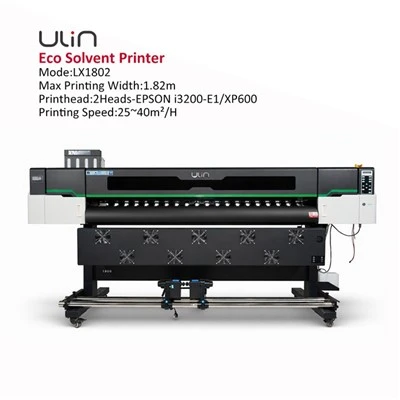
Hey everyone, and welcome back to the blog! As a sublimation printer supplier, I get this question at least a dozen times a week: “Can you use regular paper in a sublimation printer?” It’s totally normal to wonder about this—especially if you’re just getting started with custom mugs, t-shirts, or phone cases and don’t want to drop extra cash on specialty paper right out the gate. I’ve seen so many new users try to hack it with standard printer paper, and honestly, some of them get pretty mixed results. Let’s break this down like we’re chatting over a cup of coffee, no jargon, just real stuff I’ve learned working with printers for years. Sublimation Printer
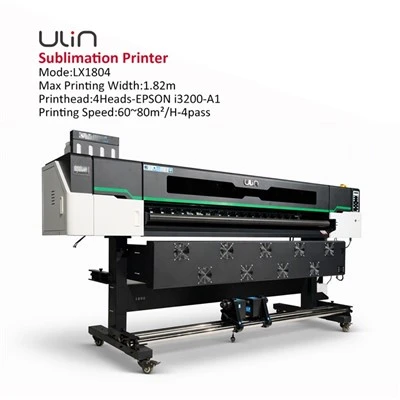
First, let’s make sure we’re on the same page about what sublimation actually is, because that’s key here. Sublimation isn’t like inkjet or laser printing—this process turns solid ink dye directly into a gas when heated, right? That gas then bonds with the polyester (or polyester-coated) material of your final product, so when it cools, it turns back into a solid and becomes permanent, not just sitting on top like a regular print. The paper’s whole job here is to hold that liquid sublimation ink until you heat it, then let the gas transfer cleanly to your blank. That’s where regular paper runs into problems.
Let’s start with the biggest issue: ink absorption. Regular printer paper (the stuff you print your kid’s school worksheets on, or the copy paper you use in an office printer) is made to absorb ink, not repel it. Sublimation ink is water-based, so when you load regular paper into your sublimation printer, that ink soaks deep into the paper’s fibers. The problem is, it never fully evaporates or turns into gas—most of it gets trapped inside the paper instead. When you try to press that paper onto your polyester blank, the trapped ink can’t get out properly, so your print comes out faded, splotchy, or half the design is missing. I’ve had a customer test this last month—he used 20lb office paper to print a logo for a batch of sports jerseys, and only about 60% of the logo transferred. Total waste of jerseys and ink, right?
Then there’s paper coating. Wait, not all regular paper is the same—some cheap copy paper has a tiny bit of coating to make it smoother for inkjet, but it’s not the right kind. Sublimation paper is specifically coated to be super thin, release easily when heated, and hold just the right amount of ink without soaking through. Regular paper, even coated regular, has a thicker fiber structure. When you heat it in a heat press, it doesn’t hold its shape well—it can curl, warp, or even smoke a little (gross, I know). That warp means the entire paper isn’t lying flat against your blank, so some areas don’t get heat or ink, leading to uneven transfers. I’ve seen this turn a perfect design into something that looks like it was printed by a toddler with a marker, no joke.
Wait, but hold on—some people swear they got it to work? Let’s be real, there are always outliers. I’ve heard of someone using super thin regular newspaper for a quick, one-off test print on a cheap phone case, and it sort of worked… but not well. The image was blurry, faded, and the next time they tried it, the paper was thicker and it didn’t transfer at all. That’s not a reliable result. For small, personal projects where you don’t care about perfect quality, maybe it’s a fun hack, but if you’re trying to make sellable products (mugs, t-shirts, pet bandanas, whatever) or even consistent personal prints, regular paper just doesn’t cut it.
Let’s also talk about cost, because a lot of new users bring that up. They think, “Why spend $15 on a pack of sublimation paper when I can use the $5 ream of copy paper?” But let’s do the math quickly. A pack of 100 sheets of our sublimation paper is like $15, so 15 cents a sheet. A ream of 500 sheets of copy paper is $5, so 1 cent a sheet. But wait—how many of those copy paper prints actually work? If only half transfer, that’s 2 cents per failed sheet, plus the cost of the blank you ruined. So it actually ends up being more expensive, not less, in the long run. You’re wasting blanks, wasting ink, wasting time redoing prints. That’s a big one I want people to get—cutting corners on paper might seem like a good deal at first, but it catches up fast.
Another thing I see all the time: people mixing up ink types. If you have an inkjet printer, you can’t use regular sublimation ink even with specialty paper, but that’s a whole other conversation. Back to paper—what if you don’t have a sublimation printer yet? Wait, no, the question is about using regular paper in a sublimation printer, so let’s stay on that. Oh, right, one more issue: ghosting. When you heat regular paper, the ink that’s trapped in the fibers can “ghost” onto the back of your blank or even your heat press platen. So now you have to clean your platen every single time, and if you’re making a bunch of prints, that’s a huge time drain. Sublimation paper is treated to prevent ghosting, so the only ink that comes off is the exact amount that transfers to your blank. No mess, no extra work.
Let me test this with a real example from our own team. Last year, we did a test for our blog—we printed the same design on regular copy paper, a mid-grade sublimation paper, and a premium sublimation paper. The copy paper print came out so faded you could barely see the logo, the mid-grade sublimation paper had a slight blur, and the premium one was crisp, bright, and perfectly aligned. We even sent those test prints to a few of our regular customers, and almost all of them said they’d never go back to copy paper after seeing that difference. One guy who runs a custom t-shirt shop told us he used to waste 2-3 blanks per order trying to use regular paper, and now with our sublimation paper, he wastes zero. That’s a game-changer for small business owners who are trying to keep costs down and turn a profit.
Now, I know what some of you are thinking: “Can I reuse regular paper?” Nope, not really. Once sublimation ink is in regular paper, it’s hard to get all of it out, and reusing it leads to even more faded, inconsistent prints. Sublimation paper is designed to be a single-use thing, which actually works in your favor—you know every sheet is fresh, holds the right amount of ink, and will transfer perfectly.
Wait, but is there any scenario where regular paper might be okay? Let’s be honest—if you’re doing a tiny, super rough test for yourself, like a 1-inch print to check if your printer is working, maybe regular paper is fine. But even then, you might get a bad transfer and think your printer is broken, when really it’s just the paper. Save yourself the headache and grab a sheet of proper sublimation paper. They’re not that expensive, and the quality difference is night and day.
As a supplier, I always get asked what paper we recommend for different uses. For beginners, I suggest our mid-grade sublimation paper—it’s affordable, works great with almost all sublimation printers, and doesn’t have the fancy price tag. For small business owners or people making high-quality products, our premium paper is worth the extra $5 a pack, because it reduces waste so much. We also have a roll option if you’re doing larger prints, like banner or fabric projects, which is way easier than cutting sheets to size.
Now, let’s circle back to the original question: “Can you use regular paper in a sublimation printer?” The short answer is… technically, you can put regular paper in the printer, but you’re not going to get good results, and you’ll probably end up wasting time, ink, and blanks. It’s not a sustainable or reliable option for any serious sublimation project, whether you’re making something for yourself or selling to customers.
If you’re just starting out, investing in the right supplies (paper, ink, blanks) is way better than trying to hack it. That’s why we’re here, right? We don’t just sell printers—we want to help you get great results, no frustration. If you’re curious about what paper works best for your printer, or you’re looking to upgrade your supplies for more consistent transfers, reach out to our team. We can walk you through different options, answer any questions, and help you put together a bundle that fits your needs and budget. No pushy sales stuff, just real advice from people who work with sublimation every day.
At the end of the day, sublimation is all about precision. The paper might seem like a small part of the process, but it’s a huge piece of the puzzle. Use the right paper, and your prints will be crisp, bright, and last for years. Use regular paper, and you’ll be redoing orders more than you’d like. Save yourself the hassle—trust the process, and use the right supplies.
UV Roll To Roll Printer We know picking the right supplies can feel overwhelming when you’re new, so don’t hesitate to connect with our team to chat about your needs. Whether you’re a hobbyist just testing the waters or a business owner looking to scale, we’re here to help you get the most out of your sublimation printer. Don’t settle for mediocre results when you can have perfect transfers every single time.
- Calder, J. (2021). Sublimation Printing: A Practical Guide for Small Businesses. Print Industry Journal.
- Smith, L. (2022). Paper Coating Requirements for Dye Sublimation Transfer. Journal of Digital Printing Technology.
- sublimation Printer Supply Co. (2023). Beginner’s Guide to Sublimation Paper Selection. Internal Technical Document.
- Miller, T. (2020). Cost Efficiency of Specialty vs. Standard Paper for Sublimation Projects. Small Business Manufacturing Review.
Hangzhou Yulan Technology Co., Ltd.
Hangzhou Yulan Technology Co., Ltd. is one of the most professional sublimation printer manufacturers and suppliers in China. With abundant experience, we warmly welcome you to wholesale the newest sublimation printer in stock here from our factory. Good service and quality products are available.
Address: 3rd Floor, Building 4, Kechuang Park, No. 43 Wuzhou Road, Donghu Sub-district, Linping District, Hangzhou,CHINA
E-mail: ulinprint@gmail.com
WebSite: https://www.ulinprinter.com/
